 Use the QR code scanner within the app to scan. Don’t use your phone’s camera for scanning the QR code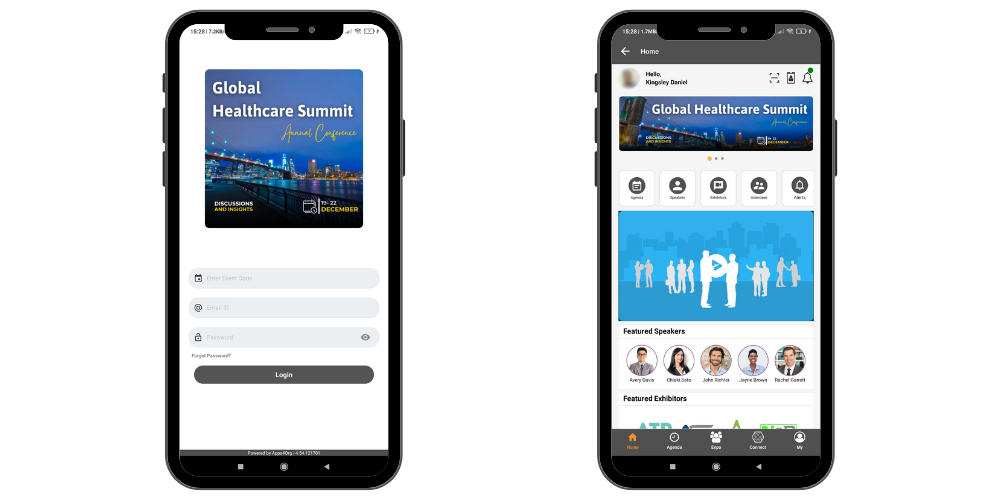
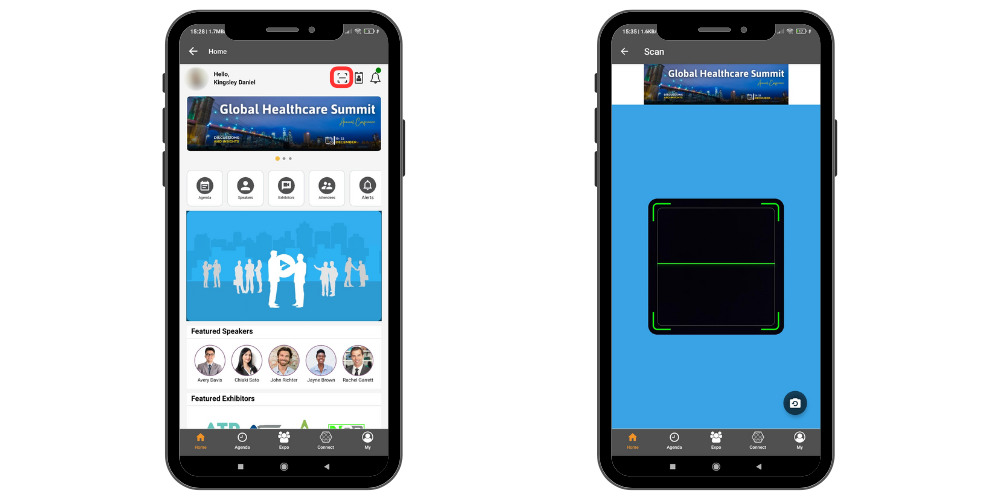
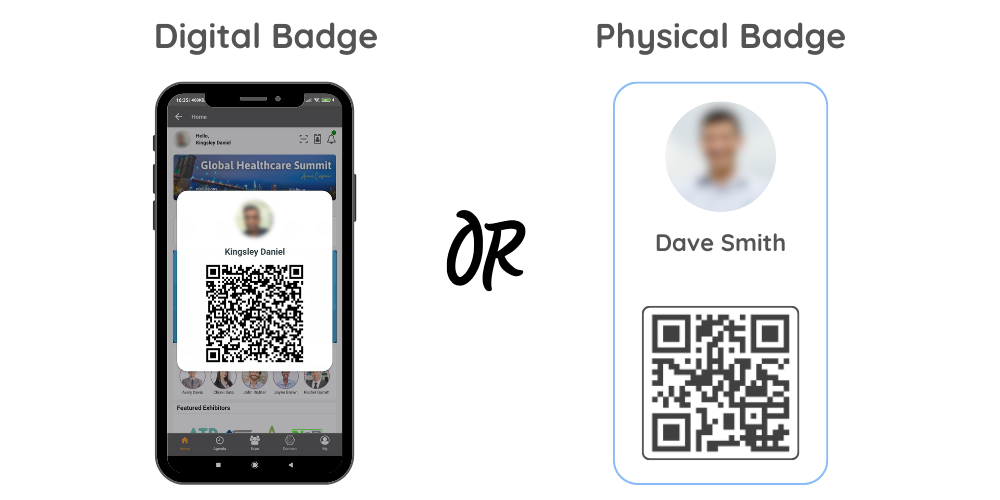
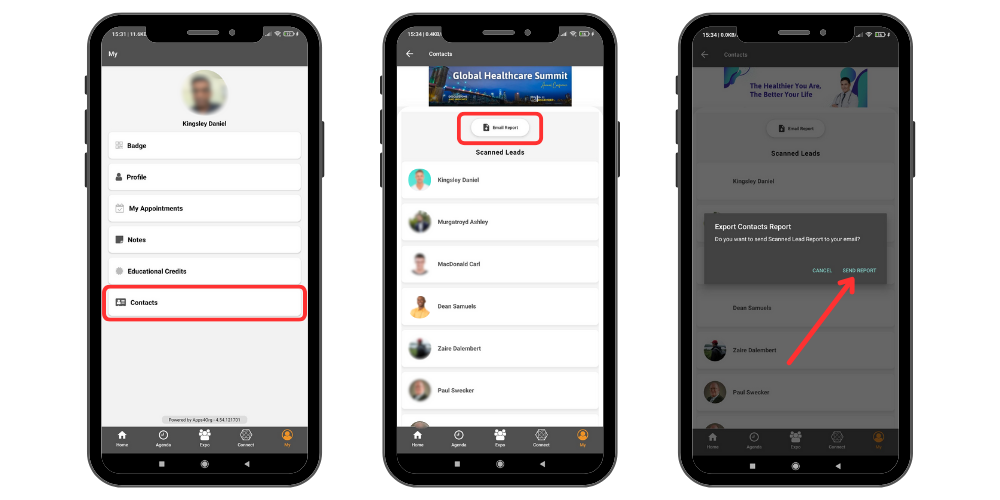
 Use the QR code scanner within the app to scan. Don’t use your phone’s camera for scanning the QR code