Use the QR code scanner within the app to scan. Don’t use your phone’s camera for scanning the QR code Login to the Conference App
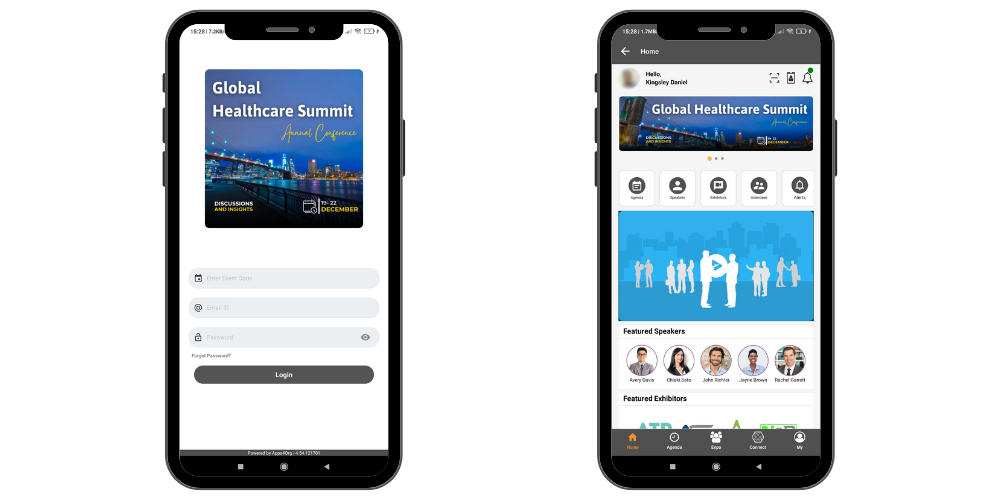
Login to the conference app using email and password provided by the event organizer.
Activity
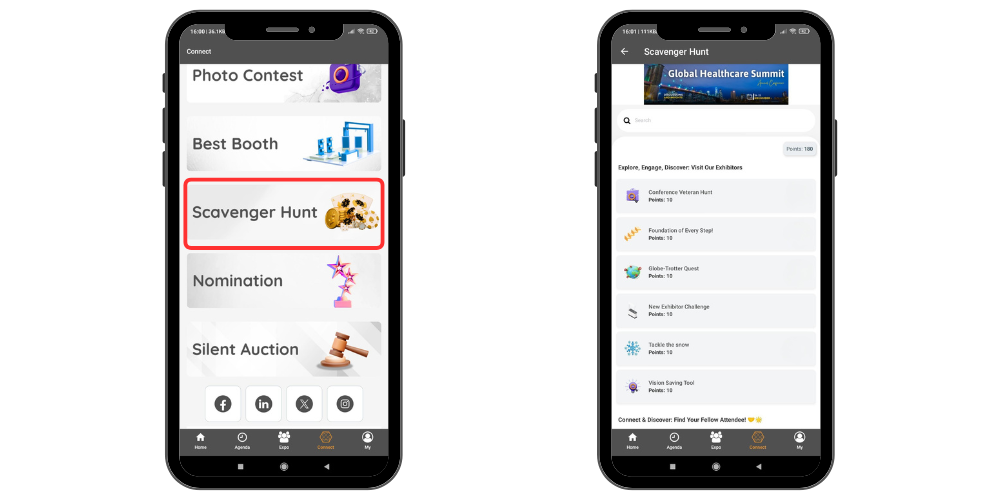
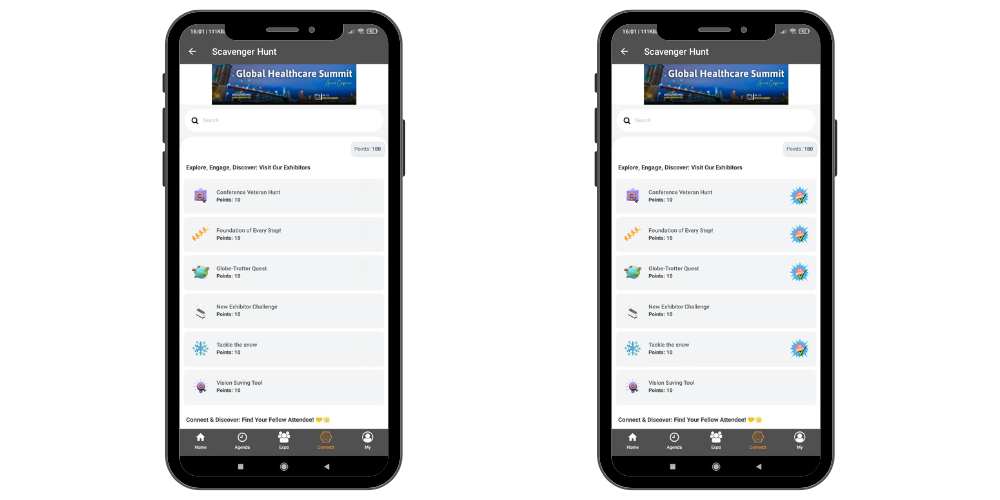
- Select the Activity icon under the Connect tab to view the list of available activities.
- Based on the type of activity you may have scan a QR code, Take a Photo or Mark It complete once finished.
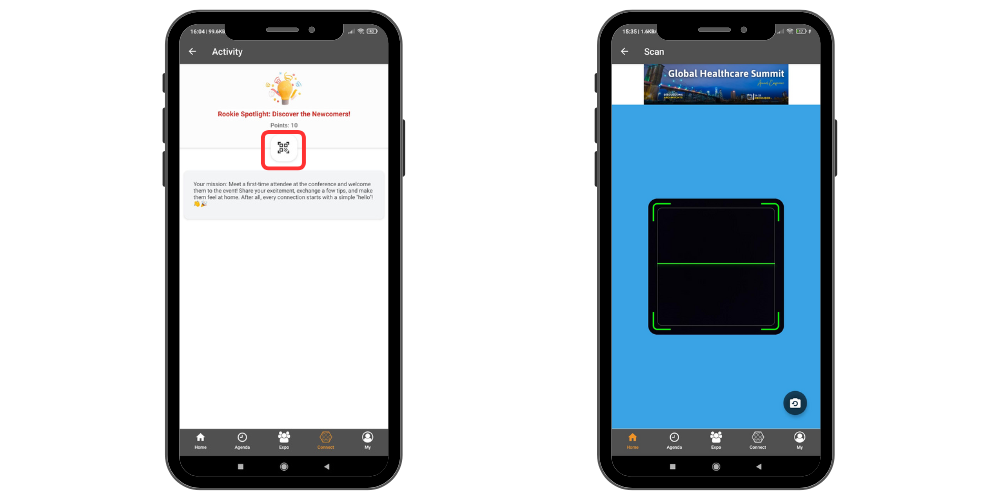
Completing a QR Scan Activity
- Select the activity.
- Tap the Scan option to open the QR scanner.
- Scan the activity QR code.
- The scan is processed automatically once the QR code is recognized.
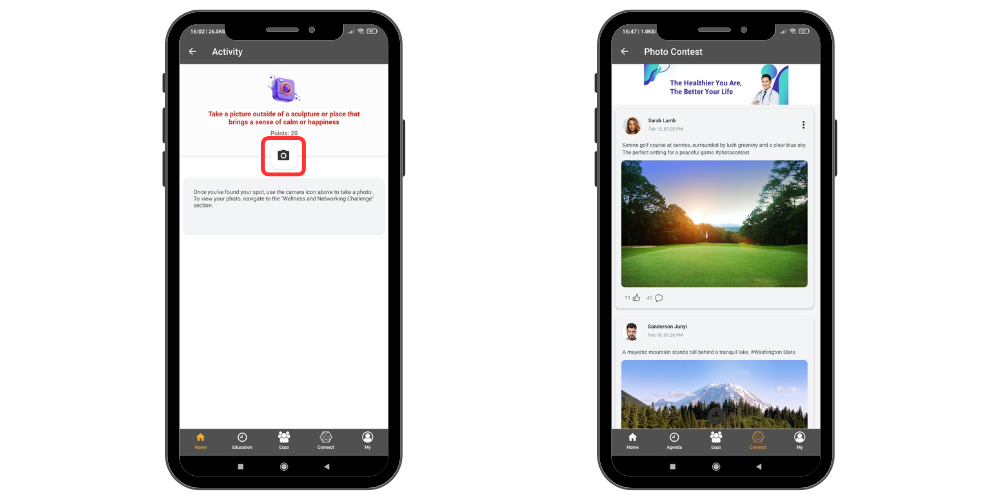
Completing a Photo Contest Activity
- Select the Photo Contest activity.
- Upload the required photo as instructed.
- Submit the post to complete the activity.
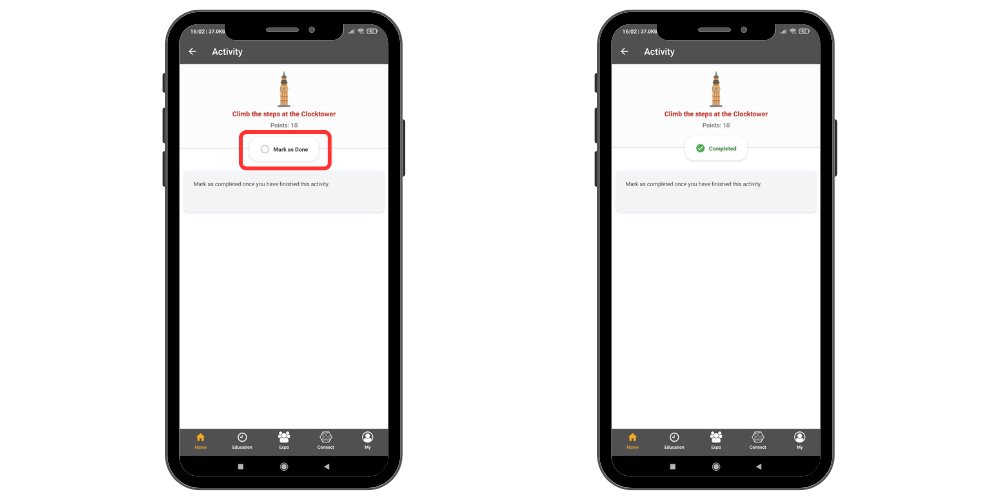
Mark Complete Activity
- Select the Mark Complete activity.
- Confirm the action.
- The activity will be marked as completed.
Once the activity is completed, a visited icon will appear next to the corresponding activity listing.