
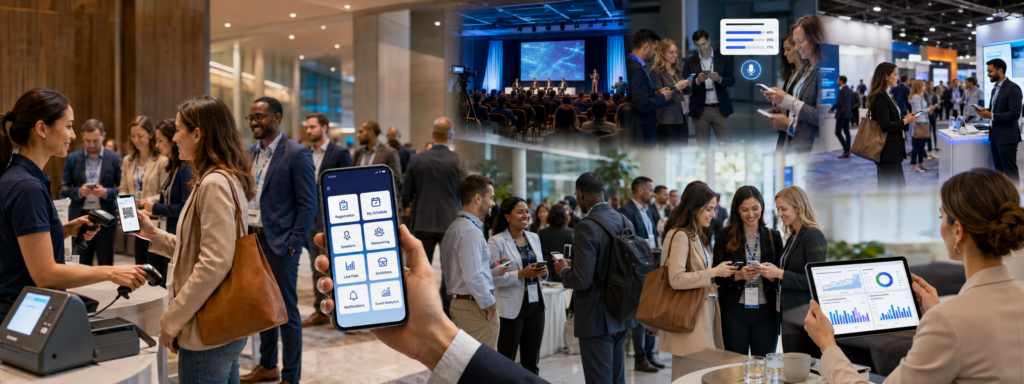
For most professional associations, the annual conference is the single most important event of the year. It is where members renew connections, earn continuing education credits, hear from industry leaders, and recommit to the association’s mission. But it is also one of the most logistically demanding events any organization can run — and the margin for error is narrow.
Strong association conference management starts long before the opening keynote and continues well after the closing reception. This playbook walks through every major phase of the annual conference lifecycle and shows how a purpose-built conference app can hold it all together.
Why the Annual Conference Matters More Than Any Other Event
A chapter luncheon might draw 40 people. A webinar might pull in a few hundred. But the annual conference is where the entire membership comes together — and the experience you deliver has a direct impact on renewals, engagement scores, and the association’s perceived value.
Members are investing real money and real time. They expect:
- A seamless registration and check-in process
- Easy access to the schedule and session materials
- Meaningful networking opportunities
- Proof of attendance for CE credit purposes
- A professional, modern experience that reflects well on the association
A clunky, paper-heavy, or fragmented event experience sends the wrong message. A conference app lets you deliver the polished, connected experience your members expect — while giving your staff the operational tools they need to run the event efficiently.
Phase 1 — Pre-Conference: Setting the Stage for a Smooth Event
The foundation of a great conference is built weeks and months before doors open. Here is what to prioritize in the pre-conference phase.
Member Registration and Session Selection
Most associations use a separate registration system, but the conference app should sync with it so attendee data flows automatically. Once members are registered, they should be able to log into the app and immediately:
- View the full conference schedule
- Select sessions they plan to attend
- Add sessions to a personal agenda
- Browse speaker bios and exhibitor listings
Personal agenda building is especially valuable for associations with large multi-track programs. Members who plan their schedule in advance are more likely to show up to sessions and engage with the content.
Speaker and Sponsor Setup
Before the event goes live in the app, your team needs to load speaker profiles, session descriptions, and sponsor information. A well-configured app makes this straightforward:
- Speakers get their own profile pages with bio, headshot, and linked sessions
- Sponsors get featured placement, logo display, and links to their websites or lead capture forms
- Session details include room assignments, capacity limits, and any CE credit designations
For associations with a call-for-proposals process, look for an app that integrates with your submission workflow so accepted sessions can be pushed directly into the schedule without manual re-entry.
Pre-Event Communication
The conference app is also a communication channel. Use it to send pre-event push notifications to registered attendees:
- “Your conference app is live — build your schedule now”
- “Keynote speaker announced: [Name] will open on Day 1”
- “Hotel room block closes Friday — book now”
Driving early app adoption means attendees arrive familiar with the tool, which reduces friction at check-in and during the event itself.
Phase 2 — During the Conference: Running the Event in Real Time
This is where the conference app earns its keep. The days of the event are fast-moving and high-stakes, and your team needs tools that work reliably under pressure.
Streamlined Check-In
Long check-in lines are one of the most common complaints at association conferences. A mobile check-in system eliminates the bottleneck:
- Staff use the app or a connected device to scan QR codes from member badges or confirmation emails
- Walk-in registrations can be processed on the spot
- Badge printing integrates directly with check-in data
- VIP or board member arrivals can be flagged for special handling
Fast, accurate check-in sets a positive tone for the entire event.
Schedule Navigation and Last-Minute Changes
Even the most carefully planned conference involves last-minute changes — a speaker cancels, a room assignment shifts, a session fills up. The app lets you push those updates instantly to all attendees without reprinting anything or making overhead announcements.
Attendees can:
- Browse the full schedule by day, track, or topic
- Search for specific speakers or session titles
- View real-time room assignments and capacity status
- Adjust their personal agenda on the fly
Session Attendance Tracking and CE Credits
For many associations, continuing education tracking is non-negotiable. Members need documented proof of attendance to satisfy licensing or certification requirements, and the association needs accurate records for reporting.
A conference app handles this automatically:
- Attendees check into sessions via QR code scan at the door
- Attendance data is captured and timestamped in real time
- CE credit hours are calculated based on verified attendance
- Certificates can be generated immediately after the session or at the end of the conference
This eliminates paper sign-in sheets, reduces staff workload, and gives members an accurate record they can access any time.
Push Notifications That Keep Attendees Informed
Push notifications are one of the most powerful features in a conference app — and one of the most underused. During the event, use them to:
Remind attendees that a session starts in 15 minutes
- Alert the full group to a schedule change or room swap
- Announce the winner of a raffle or door prize
- Direct attendees to the general session or networking lunch
- Promote a sponsor’s giveaway at their booth
Keep notifications targeted and relevant. Too many and attendees tune them out; too few and they miss important updates.
Networking and Engagement Features
Networking is often the primary reason members attend the annual conference. The app can facilitate connections in ways that a printed attendee directory never could:
- Attendee profiles with contact info, chapter affiliation, and professional background
- In-app messaging so members can connect before they happen to run into each other
- Interest matching that suggests relevant connections based on member profiles
- Exhibitor listings with maps so attendees can plan their expo floor visits
For associations that host chapter meetings or committee breakouts alongside the main conference, the app can host separate agendas and membership lists for each group within the same interface.
Volunteer Management
Associations rely heavily on volunteers to staff registration desks, monitor session rooms, and assist with logistics. A conference app can include a volunteer-facing view with:
- Role assignments and shift schedules
- Room monitoring checklists
- Attendance tracking responsibilities
This keeps your volunteer team coordinated without flooding everyone with email threads.
Phase 3 — Post-Conference: Closing the Loop
The conference does not end when the last session wraps. The post-event phase is where associations deliver on their promises to members and gather the data they need to improve next year.
Attendance Certificates and CE Documentation
Within 24–48 hours of the conference close, attendees should be able to access their attendance records and download certificates directly from the app or a linked portal. This is a major convenience for members who need to submit documentation to licensing boards or employers.
Automated certificate generation — triggered by verified attendance data captured during the event — eliminates manual processing and reduces requests to your staff.
Post-Event Surveys
Member feedback is essential for improving future conferences. Use the app to push a post-event survey while the experience is still fresh:
- Overall event satisfaction
- Session quality ratings
- Venue and logistics feedback
- Topics they want to see at next year’s conference
Response rates are significantly higher when surveys are delivered through the app rather than a follow-up email that arrives days later.
Reporting to Board and Leadership
Association executives and board members want to know how the conference performed. A conference app with built-in reporting gives you the data to tell that story clearly:
- Total registrations vs. actual check-ins
- Session attendance by track and time slot
- App adoption and engagement metrics
- CE credits issued
- Survey results and NPS scores
These reports are not just for looking back — they are the evidence base for next year’s budget request, programming decisions, and sponsor renewal conversations.
How a Conference App Ties All Three Phases Together
The real value of a conference app is not any single feature — it is the continuity it creates across the entire event lifecycle.
Without an app, data lives in three or four different systems: your registration platform, a spreadsheet, a survey tool, and someone’s email inbox. Nothing talks to anything else. Your staff spends hours reconciling records, and your members experience the gaps.
With an integrated conference app:
- Registration data flows into the attendee list automatically
- Attendance records feed directly into CE certificate generation
- Session feedback populates your post-event report
- Sponsor data and engagement metrics are captured in one place
This integration saves your team time, reduces errors, and delivers a more consistent, professional experience to your members from start to finish.
Association-Specific Tips
A few practices that are particularly important for association conferences:
Prioritize the member experience above all else. Your attendees are not just ticket buyers — they are dues-paying members with a long-term relationship with the organization. Every friction point in the event experience reflects on the association’s value.
Use the app to support chapter engagement. If your conference includes regional chapter meetings or networking receptions, create dedicated spaces for them in the app so members can find their people easily.
Track board and committee participation. Many associations require board members and committee chairs to document their participation in governance activities at the conference. The app can capture this automatically.
Plan for a range of tech comfort levels. Association membership often spans multiple generations. Make sure your app is intuitive enough for members who are not particularly tech-savvy, and have a backup process for the small percentage who will not use it.
Start early. Load the app at least four weeks before the conference so members have time to build their schedules, connect with each other, and get familiar with the interface before they arrive.
Your Annual Conference Deserves the Right Technology Partner
Running a successful association annual conference is a team effort — and the right conference app is a core member of that team. From the moment registration opens to the moment your board receives the post-event report, a well-implemented app reduces staff burden, improves the member experience, and gives you the data you need to keep getting better.
Apps4Org is built specifically for organizations like yours — associations, nonprofits, and professional groups that run member-driven events and need a platform that understands the difference between a convention and a trade show.
Ready to see what Apps4Org can do for your annual conference? Schedule a demo and talk to our team.