
How to update my company profile?
Login
Login to the exhibitor portal
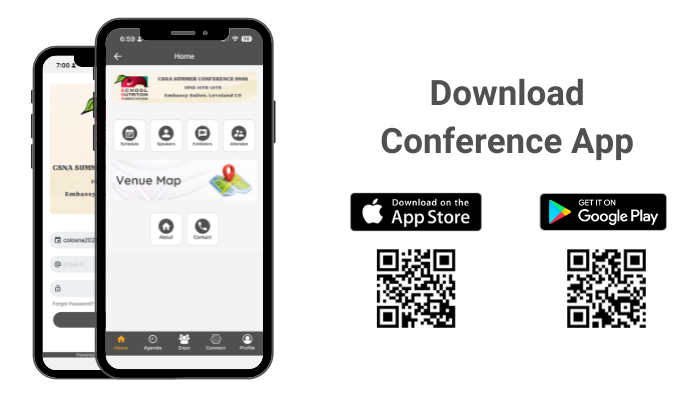
How to download the conference app?
For iPhone users:
- Search for EventsLite in the App Store or go to this link http://bit.ly/17Mk3Ib
- Enter colosna2026 for the event code.
- Username: Registered email id
- Password: colosna2026
For Android users:
- Search for EventsLite in Google Play Store or go to this link http://bit.ly/1hjiC3E
- Enter colosna2026 for the event code.
- Username: Registered email id
- Password: colosna2026
If you’ve already logged into the exhibitor portal, use those same credentials to log into the conference app. How to scan attendee’s badges?
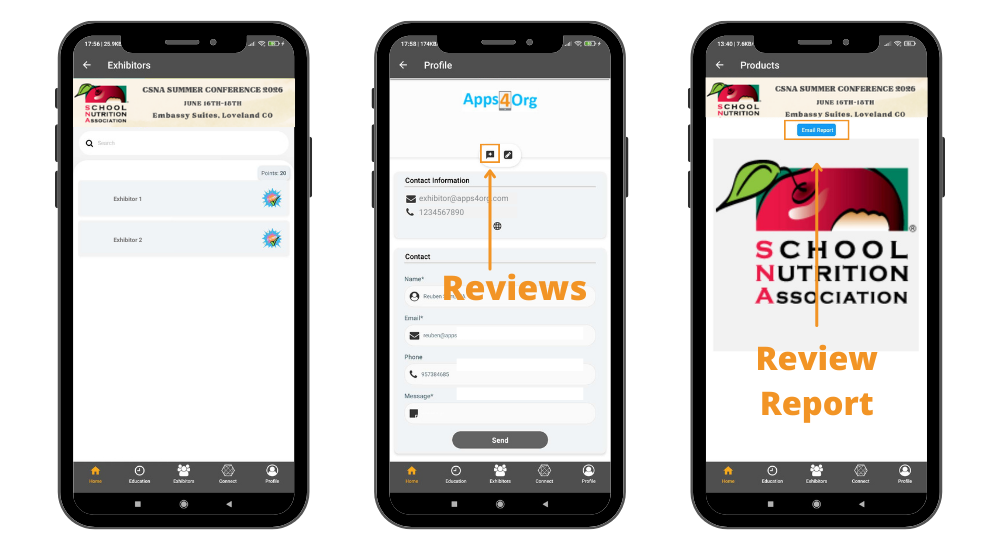
How to view product reviews submitted by attendees?
- You have access to all reviews submitted through your company profile.
- Login to conference app and tap on your booth and you will see your company profile
- You will see the list of reviews submitted by attednees