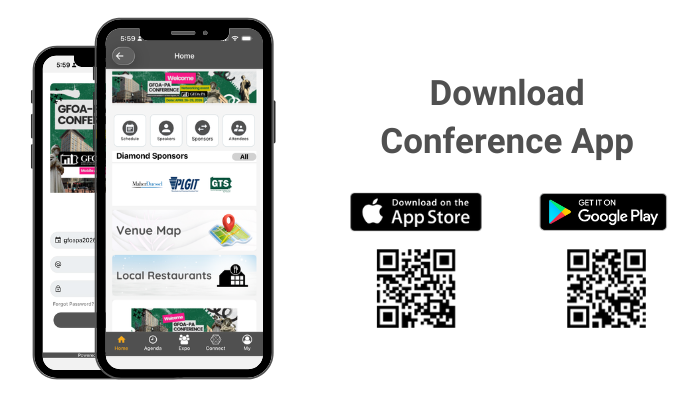
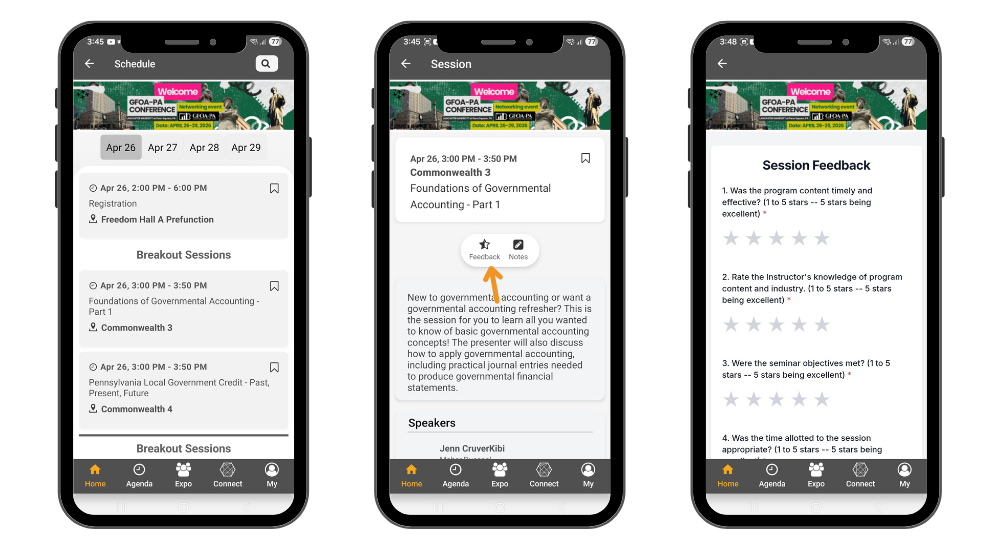
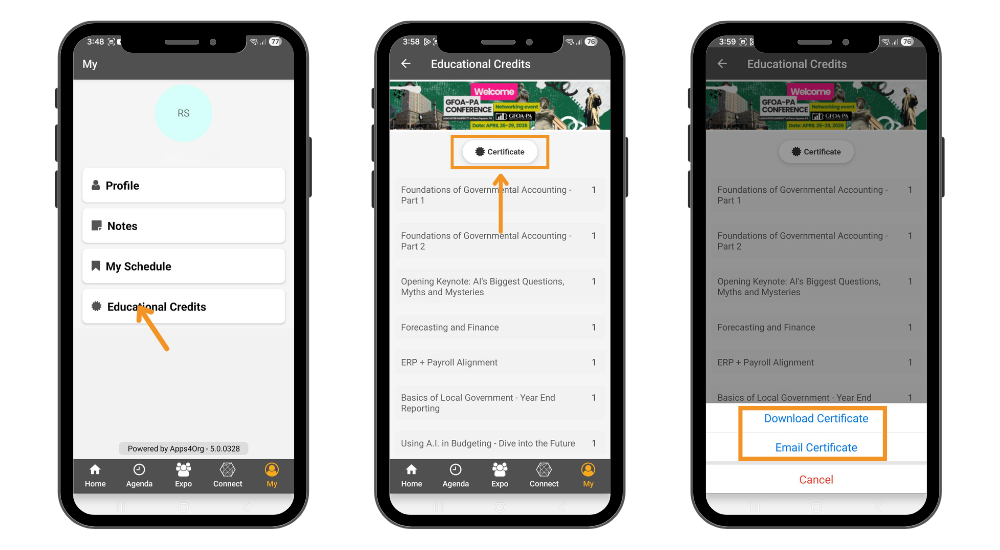
GFOA-PA 2026 Annual Statewide Conference How to download conference app? How will I receive my certificate? How to download the conference app? Please follow instructions below to download the app to your smart phones.Information for iPhone users:Search for EventsLite in the App Store or go to this link http://bit.ly/17Mk3IbEnter gfoapa2026 for the event code.Username: Your registered email addressTemp password: gfoapa2026Information for Android users:Search for EventsLite in Google Play Store or go to this link http://bit.ly/1hjiC3EEnter gfoapa2026 for the event code.Username: Your registered email addressTemp password: gfoapa2026 How will I receive my certificate? To receive certificates you must submit your evaluation after the required session. Follow these steps to submit your evaluationSelect the Schedule icon to open the schedule page.Choose a session to view the session details page.Tap the Feedback icon to submit your feedback.Once the feedback page opens, complete the feedback questions and click Submit.Repeat this process for each session that has feedback available. To Download or Email Certificate:Select the My tab from the menu.Tap the Educational Credits icon to view the list of sessions with submitted feedback.To download a certificate, select the Certificate icon.Choose whether to download the certificate or send it to your email.