
You invested in a conference app. The features are solid, the agenda is loaded, and the networking tools are ready to go. So why are only 40% of your attendees actually using it?
Conference app adoption is consistently ranked as the top challenge event planners face after purchasing event technology — and it’s not a technology problem. It’s a communication and engagement problem. The good news: it’s entirely solvable.
Here are 10 proven strategies to get more attendees downloading, opening, and staying engaged with your conference app from registration through the final session.
Why App Adoption Matters More Than Features
A feature-rich app that nobody uses is an expensive investment sitting idle. Low adoption means:
- Attendees miss session updates and last-minute schedule changes
- Networking and matchmaking tools go unused
- Sponsors and exhibitors don’t get the visibility they paid for
- You lose the engagement data that would improve future events
Before you can measure ROI on your event tech, you need people inside the app. Everything else follows from there.
Pre-Event Strategies: Build the Habit Before Arrival
1. Promote in Your Registration Confirmation Email
The moment someone registers, they’re most excited about your event. That’s the perfect time to introduce your app. Include a direct download link, a one-line explanation of what they’ll get from it, and a screenshot showing the agenda or speaker list.
Don’t bury it at the bottom — make the app part of the confirmation experience.
2. Send a Dedicated App Launch Email
Three to four weeks before the event, send a standalone email dedicated entirely to the app. Keep it short: what the app does, how to download it, and one compelling reason to open it right now — like the full agenda being live or early session registration now open.
3. Activate Your Speakers and Sponsors
Ask speakers to mention the app in their own pre-event communications. Sponsors listed in the app have a vested interest in attendees finding them there. A quick note from a keynote speaker saying “find my session resources in the app” goes further than any generic reminder blast.
4. Leverage Social Media Countdowns
In the weeks leading up to the event, post short tutorials, feature spotlights, or “did you know” content across your event’s social channels. Short-form video showing how to navigate the app performs especially well. Pin the download link at the top of your event page.
Incentives: Give Attendees a Reason to Download Now
5. Gate Exclusive Content Behind the App
Make the app the only place to access certain content — speaker slide decks, workshop handouts, exclusive Q&A threads, or behind-the-scenes event details. If the value is only available in the app, attendees have a concrete reason to download it.
6. Unlock Early Agenda Access for App Users
Release the full schedule in the app before it goes live on your website. Attendees who want to plan their day — and most serious attendees do — will download the app to get ahead.
7. Use Gamification to Drive Participation
Points, badges, and leaderboards aren’t just fun — they’re engagement mechanics that work. Reward attendees for completing their profile, connecting with peers, visiting exhibitor booths, or attending sessions. A small prize for top point-earners at the end of the conference gives people a reason to stay active throughout.
Onsite Strategies: Reinforce at Every Touchpoint
8. Use Signage and Registration Desk Prompts
At check-in, staff should actively mention the app. QR codes on table tents, session room signage, and badge holders give attendees a quick path to download. Don’t assume everyone saw your pre-event emails — many won’t have.
9. Open Every Session With an App Reminder
Ask your emcee or session moderators to start with a 10-second mention: “Pull up the app to submit questions, download session resources, and rate this talk when we’re done.” Repetition builds habit.
10. Station a Help Desk for App Support
Set up a small “App Help” station near registration or a high-traffic area. A staff member who can walk attendees through downloading and navigating the app removes the single biggest barrier: friction.
Post-Download Engagement: Keep Them Coming Back
Getting the download is step one. Keeping attendees engaged throughout the event is the real goal.
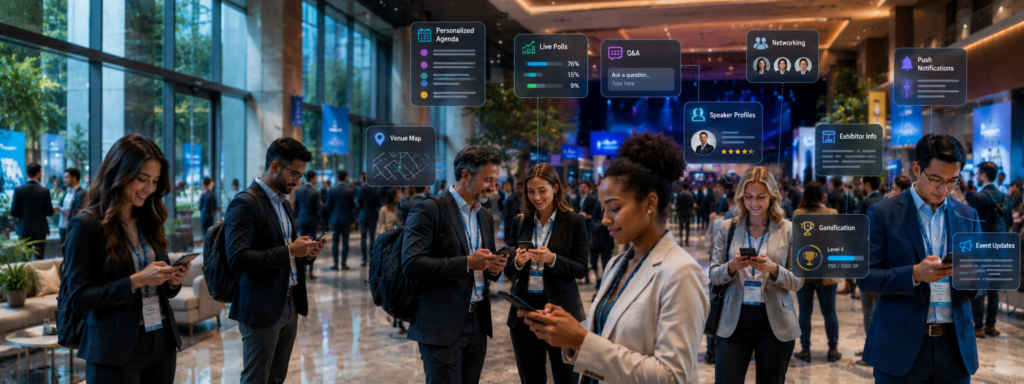
- Push notifications for schedule changes, session reminders, and sponsor announcements keep attendees informed without requiring them to seek out information
- Live polls and Q&A during sessions give attendees a reason to have the app open in the room
- Networking prompts — like “You have 3 new connection suggestions” — drive meaningful activity between sessions
- Post-session surveys sent immediately after a session ends capture honest feedback while the experience is fresh
How to Measure Conference App Adoption Success
Track these metrics to understand how well your strategy is working:
- Download rate: total downloads ÷ total registered attendees
- Active users: unique users who open the app at least once during the event
- Session engagement: check-ins, ratings, and poll responses per session
- Notification open rate: percentage of push notifications that were tapped
- Feature usage: which tools (maps, networking, schedule, exhibitor directory) were used most
A well-promoted app should target a 60–75% download rate and 50%+ active user rate during the event. Benchmark against these numbers and iterate every year.
Make Adoption Easier With the Right Platform
Even the best adoption strategy is limited by the quality of the app itself. An app that’s difficult to navigate, slow to load, or missing key features will lose attendees quickly — no matter how many reminder emails you send.
Apps4Org’s conference app is built with adoption in mind — featuring intuitive navigation, built-in gamification tools, push notification management, and real-time engagement features that give attendees a reason to stay active from day one.
Ready to drive higher engagement at your next conference? Explore Apps4Org’s conference app and see how the right platform makes adoption the easy part.