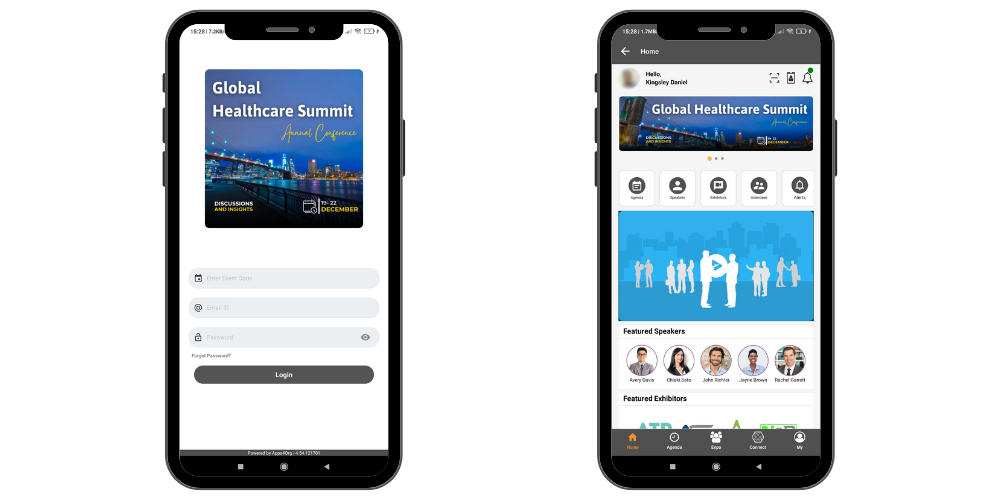
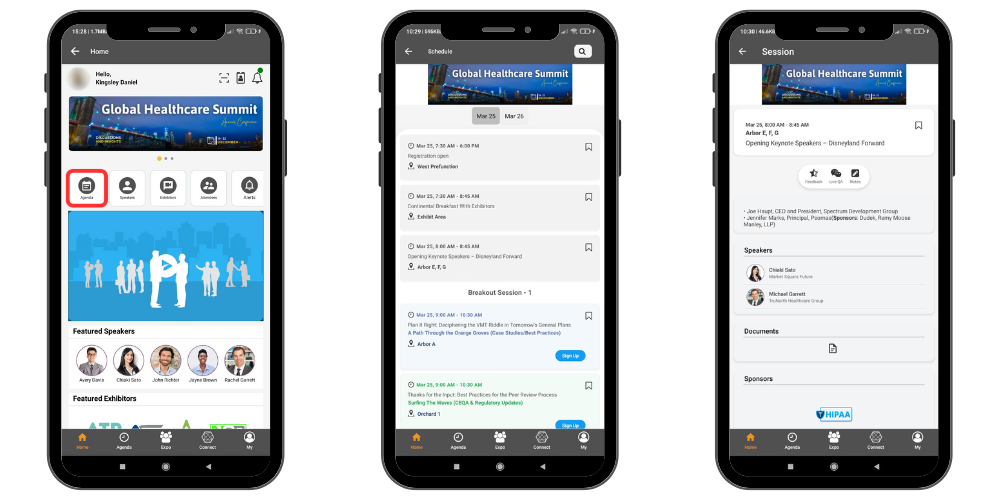
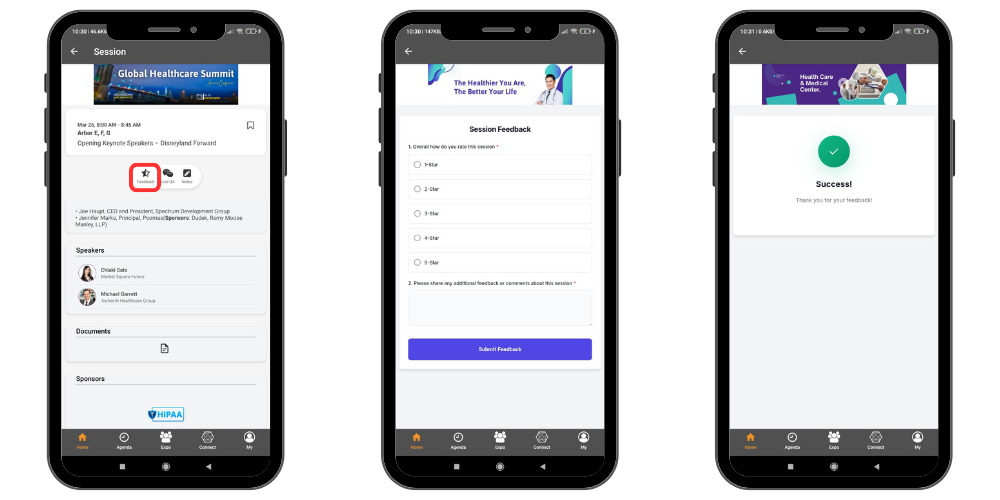
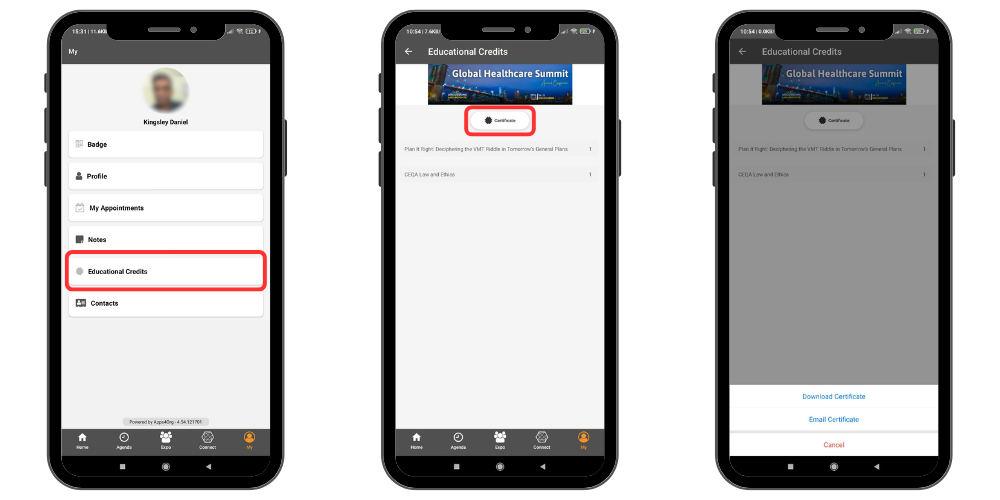
How will I receive my certificate? Login to the Conference App Login to the conference app using email and password provided by the event organizer. Submit Session Feedback Select the Schedule icon to open the schedule page.Choose a session to view the session details page.Tap the Feedback icon to submit your feedback. Once the feedback page opens, complete the feedback questions and click Submit.Repeat this process for each session that has feedback available. Download or Email Certificate Select the My tab from the menu.Tap the Educational Credits icon to view the list of sessions with submitted feedback.To download a certificate, select the Certificate icon.Choose whether to download the certificate or send it to your email.